Documentation
Elements
- <a>
- <aside>
- <assessment>
- <author>
- <backcover>
- <blockquote>
- <body>
- <bodymatter>
- <caption>
- <code>
- <cover>
- <dd>
- <dl>
- <document>
- <dt>
- <em>
- <figure>
- <figureGroup>
- <frame>
- <frontcover>
- <frontmatter>
- <hd>
- <img>
- <input>
- <jacketcopy>
- <legend>
- <li>
- <line>
- <linegroup>
- <list>
- <meta>
- <metadata>
- <note>
- <noteRef>
- <number>
- <p>
- <page>
- <poem>
- <pullquote>
- <rearmatter>
- <section>
- <source>
- <span>
- <sub>
- <subtitle>
- <sup>
- <table>
- <tbody>
- <td>
- <tfoot>
- <th>
- <thead>
- <title>
- <tr>
Taal Actief Taal
Basic structure
Use the table of contents to determine the basic structure. Process as a table.
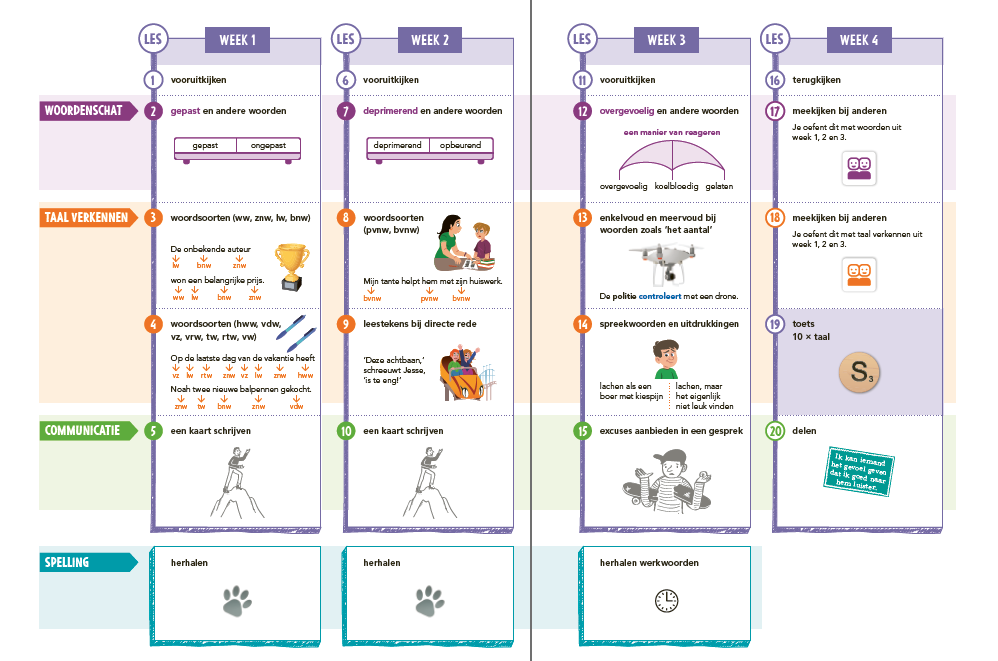
In the Taalgroeiboek you can use the headings in the book to determine the basic structure.
- Each THEMA is a new section level 1. The name of the THEMA is placed after using a colon. Like THEMA 1: IK ONTMOET.
- Each WEEK is a new section level 2, written where they first appear.
- Each LES is a <hd>, written where they first appear.

There might be a second table of contents near the end of the book. In the following example this is marked up as a table and a list:
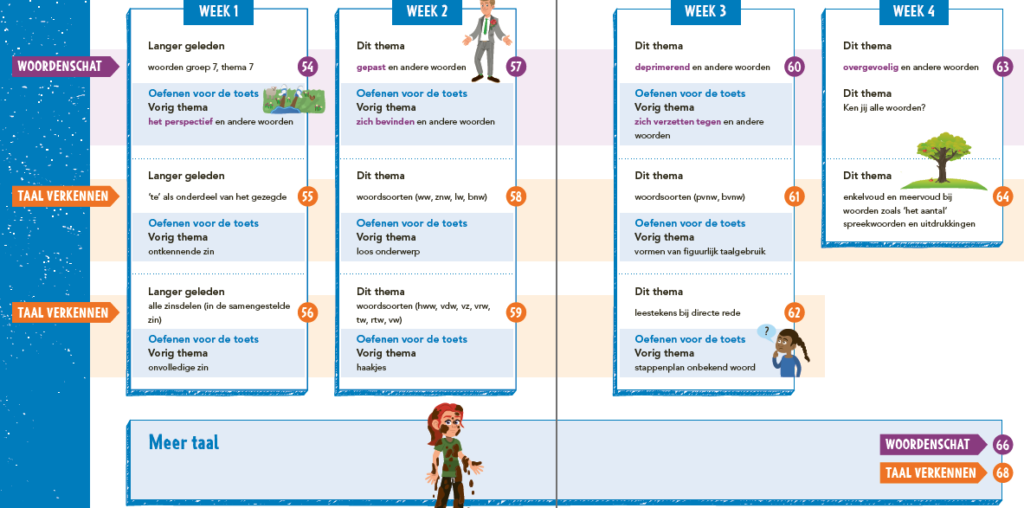
<table>
<thead>
<tr>
<th/>
<th>WEEK 1</th>
<th></th>
<th>WEEK 2</th>
<th></th>
...
</tr>
</thead>
<tbody>
<tr>
<td>Woordenschat</td>
<td><p fontStyles="bold">Langer geleden</p>
<p>woorden groep 7, thema 7</p>
<p fontStyles="bold">Oefenen voor de toets</p>
<p fontStyles="bold">Vorig thema</p>
<p><em fontStyles="bold">het perspectief</em> en andere woorden</p>
<img alt="" role="informative" src="/img/379334_p052-1.jpg"/></td>
<td><a href="#page-54" type="pageRef">54</a></td>
<td><p fontStyles="bold">Dit thema</p>
<p><em fontStyles="bold">gepast</em> en andere woorden</p>
<p fontStyles="bold">Oefenen voor de toets</p>
<p fontStyles="bold">Vorig thema</p>
<p><em fontStyles="bold">zich bevinden</em> en andere woorden</p>
<img alt="" role="informative" src="/img/379334_p052-2.jpg"/></td>
<td>
<a href="#page-57" type="pageRef">57</a></td>
<td><p fontStyles="bold">Dit thema</p>
<p><em fontStyles="bold">deprimerend</em> en andere woorden</p>
<p fontStyles="bold">Oefenen voor de toets</p>
<p fontStyles="bold">Vorig thema</p>
<p><em fontStyles="bold">zich verzetten tegen</em> en andere woorden</p></td>
<td>
<a href="#page-60" type="pageRef">60</a></td>
...
<td></td>
</tr>
</tbody>
</table>
<p>Meer taal <img alt="" role="informative" src="/img/379334_p052-5.jpg"/></p>
<list type="unordered" bullet="none">
<li>Woordenschat <a href="#page-66" type="pageRef">66</a></li>
<li>Taal verkennen <a href="#page-68" type="pageRef">68</a></li>
</list>
Assessments
See an example below.
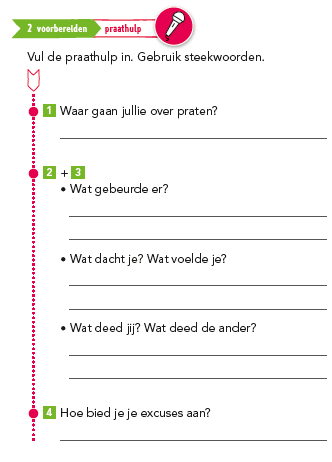
<assessment>
<title>2 voorbereiden: praathulp <img alt="" role="informative" src="/img/icon.jpg"/></title>
<p>Vul de praathulp in. Gebruik steekwoorden.</p>
<p><img alt="" role="informative" src="/img/icon.jpg"/> Waar gaan jullie over praten</p>
<input type="text"/>
<p><img alt="" role="informative" src="/img/icon.jpg"/> + <img alt="" role="informative" src="/img/icon.jpg"/>
<list type="unordered" bullet="circle">
<li>Wat gebeurde er? <input type="text"/>
.....
</assessment>
Process thefollowing as assessments with a title, do not put them in a frame.
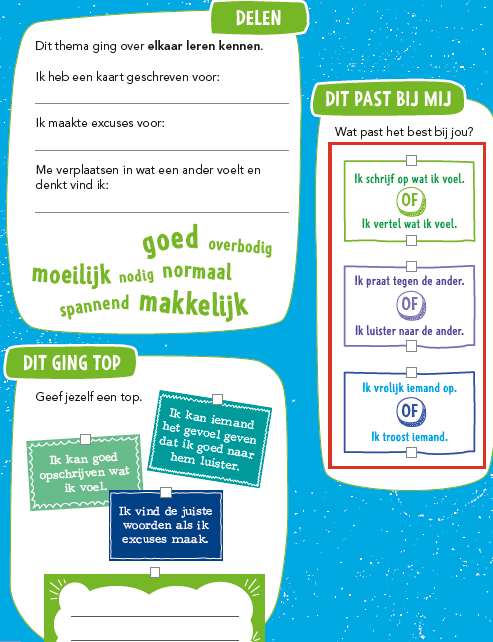
The part in the red box can be proccessed as follows:
<p><input type="checkbox"/> Ik schrijf op wat ik voel</p>
<p>OF</p>
<p><input type="checkbox"/> Ik vertel wat ik voel</p>
<p type="precedingEmptyline"><input type="checkbox"/> Ik praat tegen de ander</p>
<p>OF</p>
<p><input type="checkbox"/> Ik luister naar de ander</p>
.....
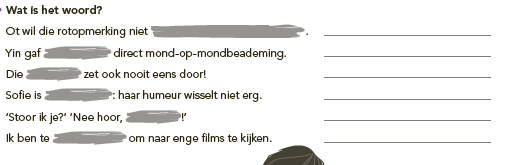
The grey areas in the following example should be processed as input type=text. The lines for input after the sentences can be ignored.
Some assessments have input fields with words below them. Please put these words before the input field and between brackets, like the example below.
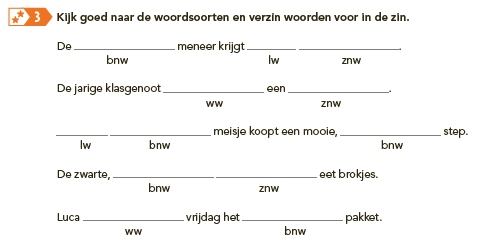
<assessment>
<img alt="" role="informative" src="/img/9.jpg"/>
<p fontStyles="bold"><number>3</number> Kijk goed naar de woordsoorten en verzin woorden voor in de zin.</p>
<p>De (bnw)<input type="text"/> meneer krijgt (lw)<input type="text"/>(znw)<input type="text"/></p>
<p>De jarige klasgenoot (ww)<input type="text"/> een (znw)<input type="text"/>.</p>
<p>(lw)<input type="text"/>	(bnw)<input type="text"/> meisje koopt een mooie, (bnw)<input type="text"/> step.</p>
<p>De zwarte, (bnw)<input type="text"/> (znw)<input type="text"/> eet brokjes.</p>
<p>Luca (ww)<input type="text"/> vrijdag het (bnw)<input type="text"/> pakket.</p>
</assessment>- The blue text in the next example should be processed as the title of the assessment
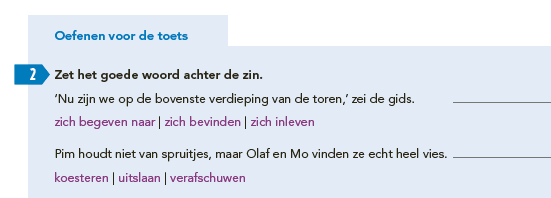
Some more examples of assessments:
- You can recognize assessments from their coloured heading. In case of a double title of the assessment, use a colon. For example Woordenschat: Mijn woorden.
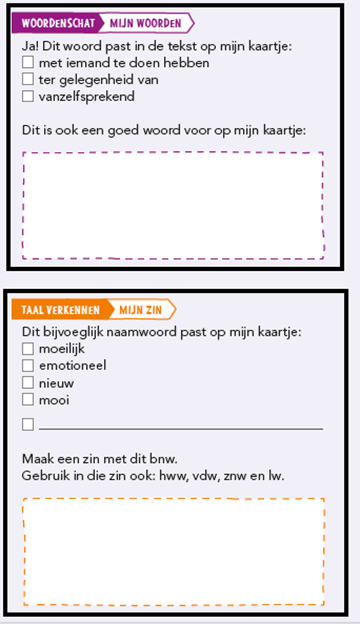
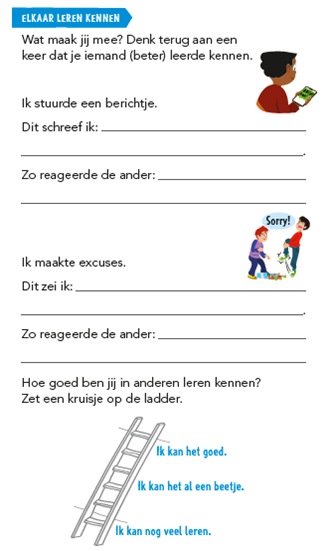
Icons
Pay attention to Icons. Some examples:


Input
These are textareas:
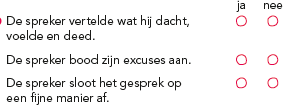
Table with input type=checkbox:
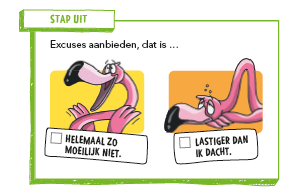
Frames
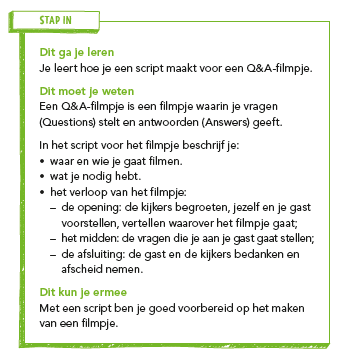
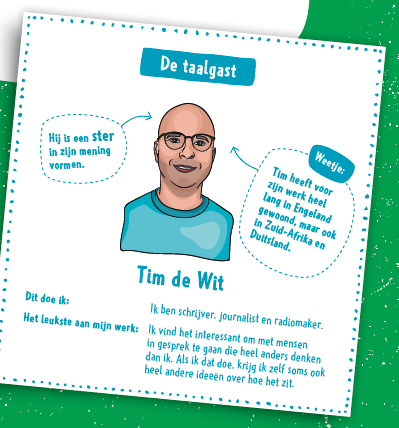
Asides
- The (grey) text in the margins should be put in an aside
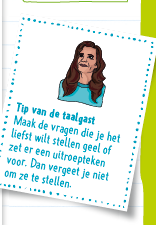
- Tips like the one below are also asides
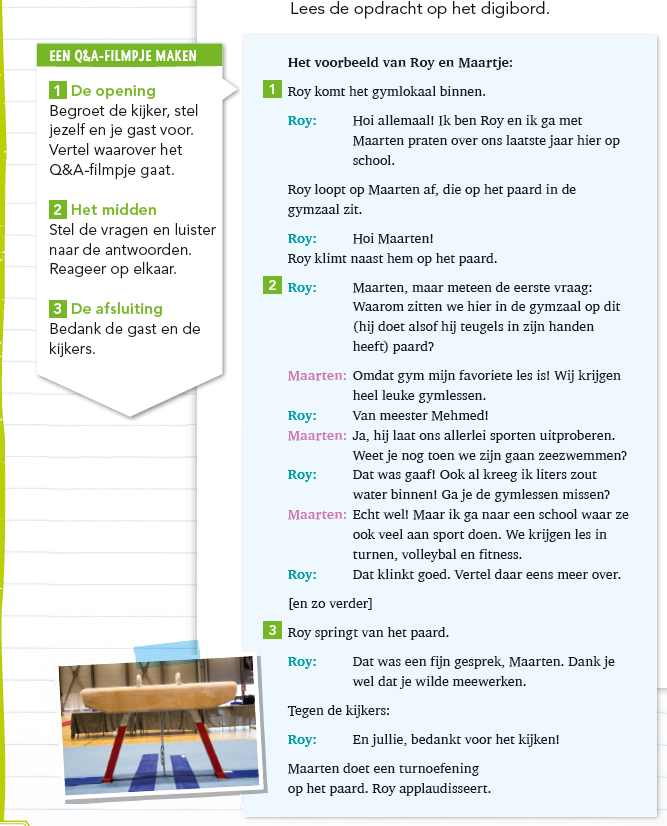
Special Cases
- In the image below, the white box in the margin is part of the main text. Please put it before the text in the blue box. The text in the blue box does NOT need to be put in a frame.
- The Communication section can be processed as a list in an aside.
Woordenlijst
Sections labeled as Woordenlijst should be put in a definition list.
Complex information
The following information can be put down in a list:

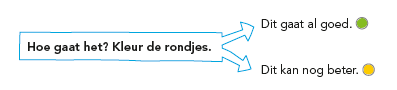
<p>Hoe gaat het? Kleur de rondjes</p>
<list type="unordered" bullet="none">
<li>➔ Dit gaat al goed. <img>
<li>➔ Dit kan nog beter. <img>
</list>
Please put the image below in a list:
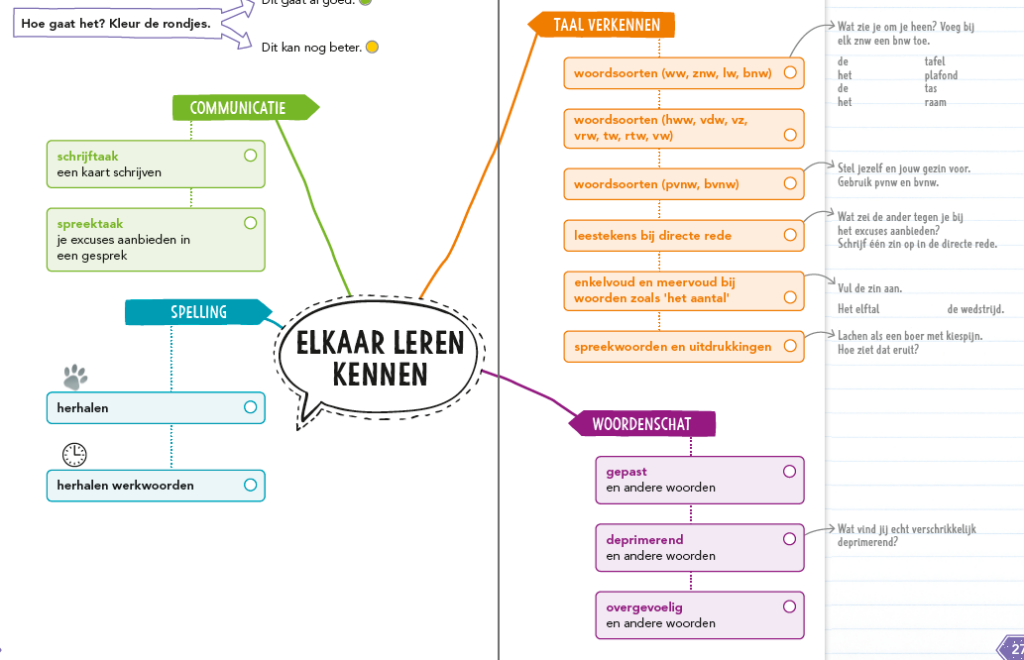
- The title of the list would be: Elkaar leren kennen.
- The list consists of multiple sub-lists: Communicatie, Spelling, Taal verkennen and Woordenschat.
- The grey text with arrows are also part of the list.
- The white circles are inptut type=checkbox.
<list bullet="none" type="unordered">
<title>ELKAAR LEREN KENNEN</title>
<li>
<list bullet="none" type="unordered">
<li>
<p>COMMUNICATIE</p>
<list bullet="none" type="unordered">
<li>
<p><em fontStyles="bold">schrijftaak</em>
<input type="checkbox"/></p>
<p>een kaart schrijven</p>
</li>
<li>
<p><em fontStyles="bold">spreektaak</em>
<input type="checkbox"/></p>
<p>je excuses aanbieden in een gesprek</p>
</li>
</list>
</li>
<li>
<p>SPELLING</p>
<list bullet="none" type="unordered">
<li><img alt="" role="informative" src="/img/hand.jpg"/> herhalen <input type="checkbox"/></li>
<li><img alt="" role="informative" src="/img/timer.jpg"/> herhalen werkwoorden <input type="checkbox"/></li>
</list>
</li>
<page id="page-27">27</page>
<li>
<p>TAAL VERKENNEN</p>
<list bullet="none" type="unordered">
<li>
<p><em fontStyles="bold">woordsoorten (ww, znw, lw, bnw)</em>
<input type="checkbox"/></p>
<list bullet="none" type="unordered">
<li>
<p>Wat zie je om je heen? Voeg bij elk znw een bnw toe.</p>
<p>de</p>
<p>tafel</p>
<p>het</p>
<p>plafond</p>
<p>de</p>
<p>tas</p>
<p>het</p>
<p>raam</p>
</li>
<li>
<p><em fontStyles="bold">woordsoorten (hww, vdw, vz, vrw, tw, rtw, vw)</em>
<input type="checkbox"/></p>
</li>
<li>
<p><em fontStyles="bold">woordsoorten (pvnw, bvnw)</em>
<input type="checkbox"/></p>
<list bullet="none" type="unordered">
<li>
<p>Stel jezelf en jouw gezin voor.</p>
<p>Gebruik pvnw en bvnw.</p>
</li>
</list>
</li>
<li>
<p><em fontStyles="bold">leestekens bij directe rede.</em>
<input type="checkbox"/></p>
<list bullet="none" type="unordered">
<li>
<p>Wat zei de ander tegen je bij het excuses aanbieden?</p>
<p>Schrijf één zin op in de directe rede.</p>
</li>
</list>
</li>
<li>
<p><em fontStyles="bold">enkelvoud en meervoud bij woorden zoals 'het aantal'</em>
<input type="checkbox"/></p>
<list bullet="none" type="unordered">
<li>
<p>Vul de zin aan.</p>
<p>Het elftal</p>
<p>de wedstrijd.</p>
</li>
</list>
</li>
<li>
<p><em fontStyles="bold">spreekwoorden en uitdrukkingen</em>
<input type="checkbox"/></p>
<list bullet="none" type="unordered">
<li>
<p>Lachen als een boer met kiespijn.</p>
<p>Hoe ziet dat eruit?</p>
</li>
</list>
</li>
</list>
</li>
<li>
<p>WOORDENSCHAT</p>
<list bullet="none" type="unordered">
<li>
<p><em fontStyles="bold">gepast</em>
<input type="checkbox"/></p>
<p>en andere woorden</p>
</li>
<li>
<p><em fontStyles="bold">deprimerend</em>
<input type="checkbox"/></p>
<p>en andere woorden</p>
<list bullet="none" type="unordered">
<li>
<p>Wat vind jij echt verschrikkelijk deprimerend?</p>
</li>
</list>
</li>
<li>
<p><em fontStyles="bold">overgevoelig</em>
<input type="checkbox"/></p>
<p>en andere woorden</p>
</li>
</list>
</li>
</list>
</li>
</list>
</li>
</list>
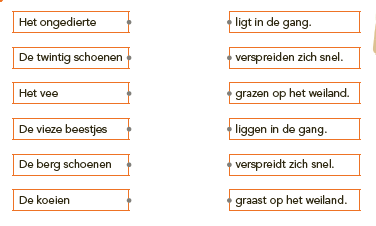
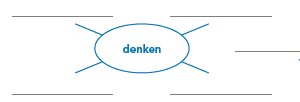
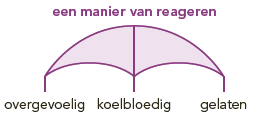
The following examples can be processed as images: