Documentation
Elements
- <a>
- <altRepresentation>
- <aside>
- <assessment>
- <author>
- <backcover>
- <blockquote>
- <body>
- <bodymatter>
- <caption>
- <code>
- <cover>
- <dd>
- <dl>
- <document>
- <dt>
- <em>
- <figure>
- <figureGroup>
- <frame>
- <frontcover>
- <frontmatter>
- <hd>
- <img>
- <indicators>
- <input>
- <jacketcopy>
- <legend>
- <li>
- <line>
- <linegroup>
- <list>
- <meta>
- <metadata>
- <note>
- <noteRef>
- <p>
- <pagebreak>
- <poem>
- <publication>
- <pullquote>
- <rearmatter>
- <section>
- <source>
- <span>
- <sub>
- <subtitle>
- <sup>
- <table>
- <tbody>
- <td>
- <tfoot>
- <th>
- <thead>
- <title>
- <tr>
<aside>
The <aside> element represents a portion of a page whose content is only indirectly related to the page’s main content. Asides are frequently presented as additional information or call-out boxes. <aside> elements are not to be confused with <frame> elements.
Notes
- Use
<aside>for content that the reader can skip without losing the main argument: side notes, “did you know?” boxes, biographical sketches, historical asides, anecdotes. - Use a
<frame>instead when the content is a structured learning module (“Je leert”, “Zo doe je dat!”, goals, summaries) that belongs to the lesson structure, or the content should not be skippable. - Use
<blockquote>instead for longer quoted passages from an outside source.
You can use any block content (<p>, <list>, <figure>, <table>, <hd>, …) inside an <aside>.
Examples
Box with learning tip
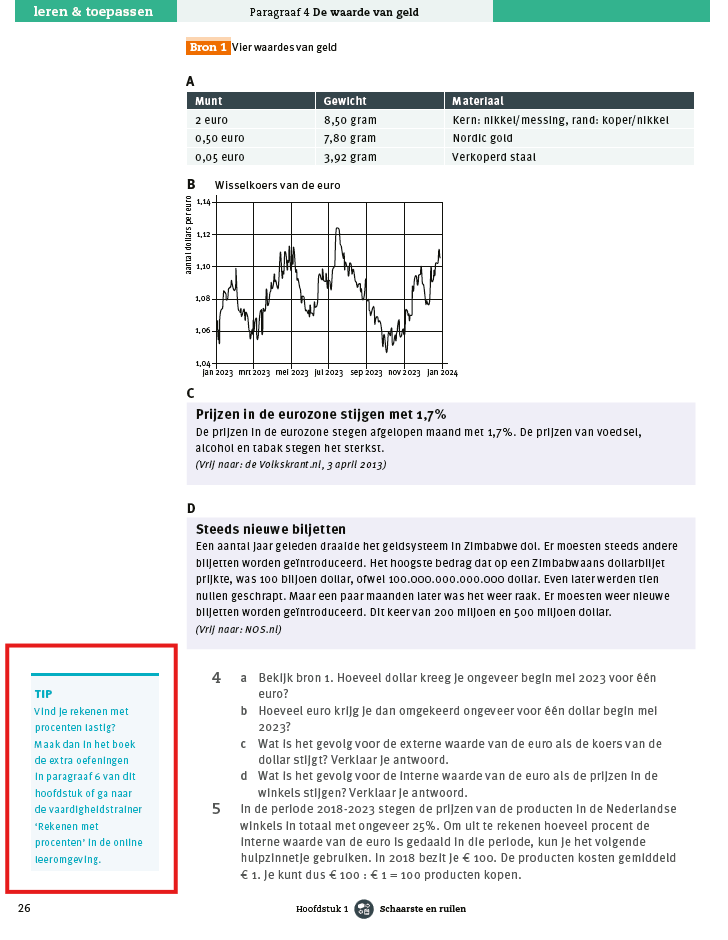
<aside>
  <hd>TIP<hd>
  <p> Vind je rekenen met procenten lastig? Maak dan in het boek de extra oefeningen in paragraaf 6 van dit hoofdstuk of ga naar
      de vaardigheidstrainer ‘Rekenen met procenten’ in de onlineleeromgeving.</p>
</aside>