Documentation
Elements
- <a>
- <altRepresentation>
- <aside>
- <assessment>
- <author>
- <backcover>
- <blockquote>
- <body>
- <bodymatter>
- <caption>
- <code>
- <cover>
- <dd>
- <dl>
- <document>
- <dt>
- <em>
- <figure>
- <figureGroup>
- <frame>
- <frontcover>
- <frontmatter>
- <hd>
- <img>
- <indicators>
- <input>
- <jacketcopy>
- <legend>
- <li>
- <line>
- <linegroup>
- <list>
- <meta>
- <metadata>
- <note>
- <noteRef>
- <p>
- <pagebreak>
- <poem>
- <publication>
- <pullquote>
- <rearmatter>
- <section>
- <source>
- <span>
- <sub>
- <subtitle>
- <sup>
- <table>
- <tbody>
- <td>
- <tfoot>
- <th>
- <thead>
- <title>
- <tr>
Assessments
General notes
The <assessment> element is a block-level element and serves as a container for assessment content in a textbook. It typically encloses a set of questions, exercises, or tasks that test the reader’s understanding of the material. In a schoolbook, assessments might appear at the end of a chapter, after a lesson, or in dedicated review sections. Using the <assessment> element helps distinguish this evaluative content from the main text. Whenever you encounter an exercise section in a book (for example, a list of review questions), that section should be enclosed in <assessment> tags in the XML.
In general, the <assessment> element can contain any structuring elements that you would use in normal content (paragraphs, lists, etc.), but organized in a way that clearly delineates the assessment items. Always refer to the XSD to see the exact allowed children of <assessment>.
See Input for more information about processing input fields.
Usage of title
- An
<assessment>must start with a<title>element. The title contains the assessment number and, if present, the title of the assessment. - Titles are often recognizable because they’re repeated across similar types of assessments (e.g., “match,” “choose,” etc.).
- Do not use
<title>when a full sentence or a longer piece of text follows. This text may or may not be in bold. In that case, process this text within<p>.Optionally with the attributefontStyles="bold", if that matches the formatting in the book.
Examples
Assessment with a clear title
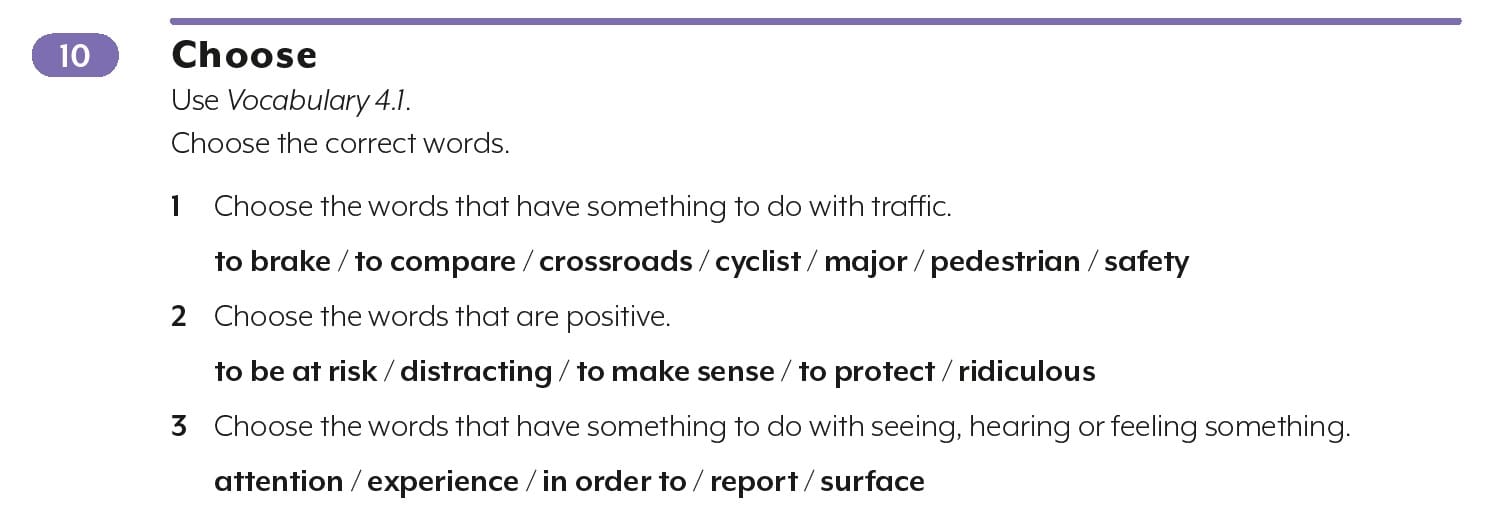
<assessment assessmentType="practice">
  <title number="10" label="assessment">10 Choose</title>
  <p>Use <em type="italic">Vocabulary 4.1.</em></p>
  <p>Choose the correct words.</p>
  <p><em type="bold">1</em> Choose the words that have something to do with traffic.</p>
  <p fontStyles="bold">to brake / to compare / crossroads / cyclist / major / pedestrian / safety</p>
  <p><em type="bold">2</em> Choose the words that are positive.</p>
  <p fontStyles="bold">to be at risk / distracting / to make sense / to protect / ridiculous</p>
  <p><em type="bold">3</em> Choose the words that have something to do with seeing, hearing or feeling something.</p>
  <p fontStyles="bold">attention / experience / in order to / report / surface</p>
</assessment>
Assessment with label-attribute needed
When there is no obvious title, process the assessment number within <title>. Process the instruction of the assessment as <p>.

<assessment assessmentType="practice">
<title number="1" label="assessment">1</title>
<p><em type="bold">a</em> Welke verschillende talen hoor of zie jij op deze plaatsen? Schrijf op.</p>
..
</assessment>
Assessment, label-attribute not needed
Here, the source material already explicitly contains the word ‘Opdracht’. The label-attribute therefore should not be used on the title element.
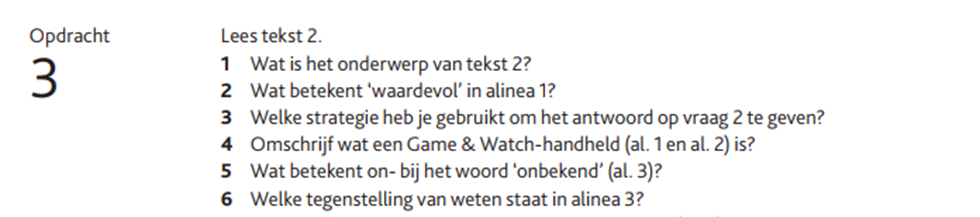
<assessment assessmentType="practice">
<title number="3">Opdracht 3</title>
<p>Lees tekst 2.</p>
...
</assessment>
Assessment with bold text which is not a title
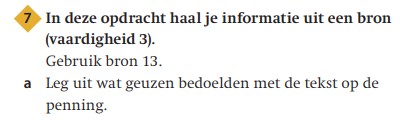
<assessment assessmentType="practice">
<title number="7" label="assessment">7</title>
<p fontStyles="bold">In deze opdracht haal je informatie uit een bron (vaardigheid 3).</p>
<p>Gebruik bron 13.</p>
<p><em type="bold">a</em> Leg uit wat geuzen bedoelen met de tekst op de penning.</p>
</assessment>
Assessment with multiple images and input fields
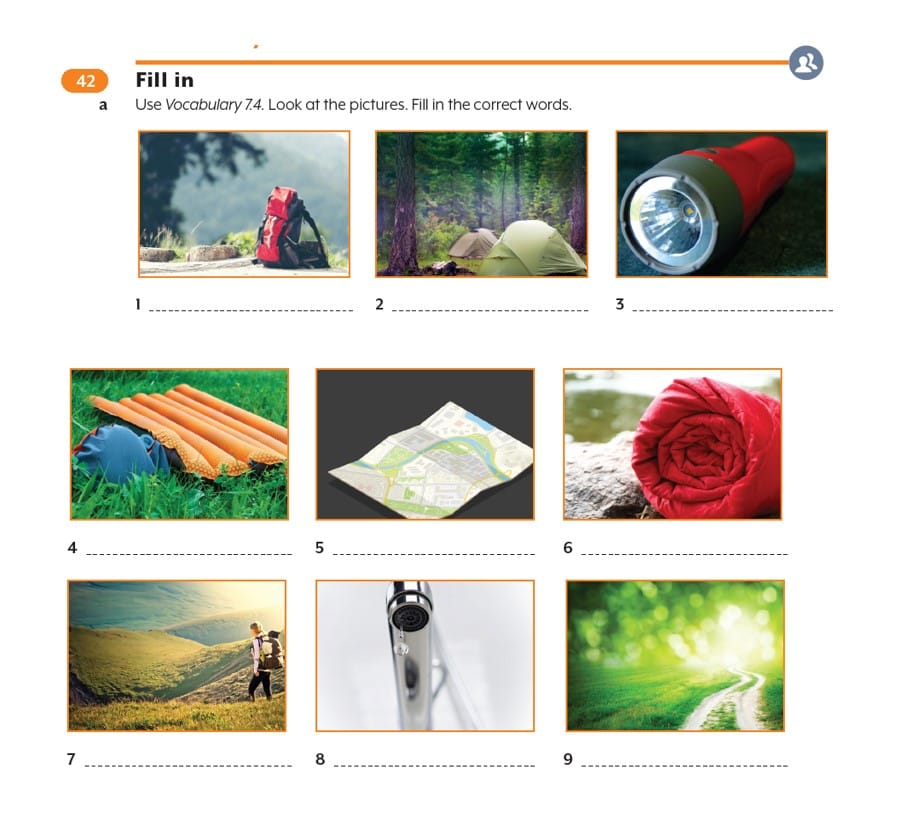
<assessment assessmentType="practice">
   <title number="42" label="assessment">42 Fill in</title>
<indicators><img alt="Samen" role="informative" src="/img/000000_samen.jpg" type="pictogram"/></indicators>
   <p><em type="bold">a</em> Use <em type="italic">Vocabulary 7.4</em>. Look at the pictures. Fill in the correct words.</p>
   <figureGroup>
       <figure>
          <img src="/img/000000_p000-1.jpg" role="informative" alt="" type="photo"/>
          <caption>1 <input type="text" id="input-1"/></caption>
       </figure>
       <figure>
           <img src="/img/000000_p000-2.jpg" role="informative" alt="" type="photo"/>
           <caption>2 <input type="text" id="input-2"/></caption>
       </figure>
       <figure>
           <img src="/img/000000_p000-3.jpg" role="informative" alt="" type="photo"/>
           <caption>3 <input type="text" id="input-3"/></caption>
       </figure>
       ...
    </figureGroup>
</assessment>
Assessment with a matching question
Process matching questions as an image with an altRepresentation.
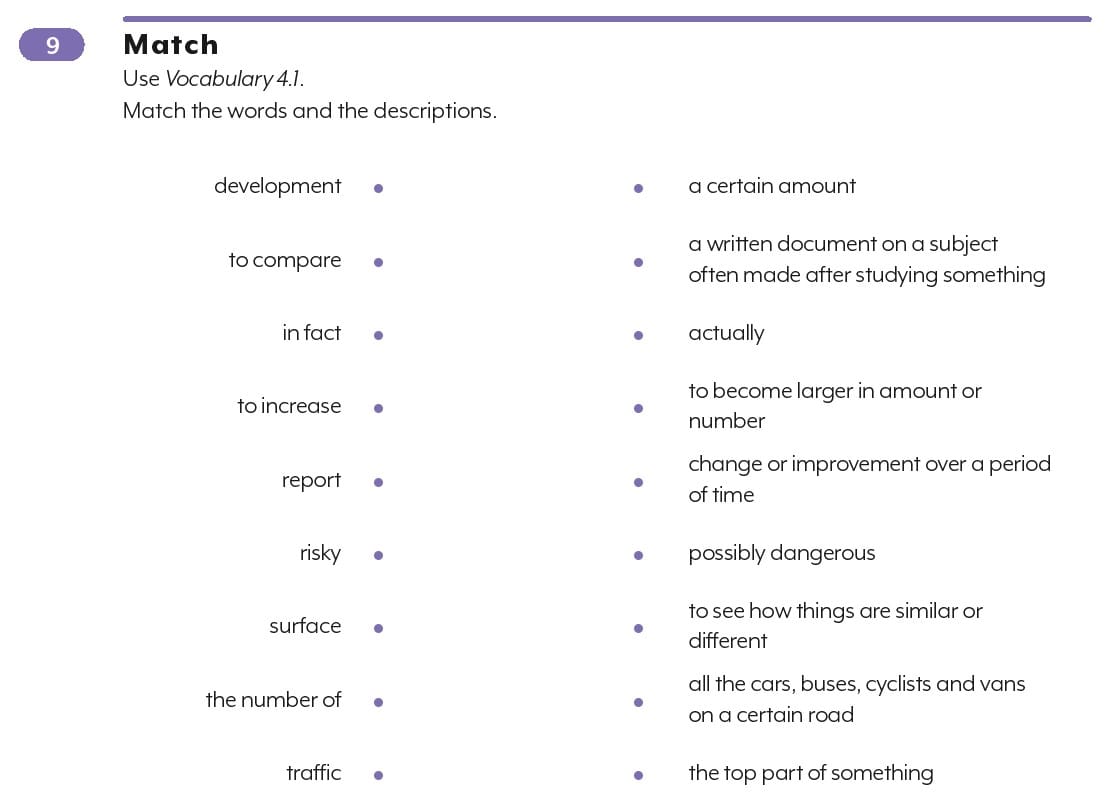
<assessment assessmentType="practice">
  <title number="9" label="assessment">9 Match</title>
  <p>Use <em type="italic">Vocabulary 4.1.</em></p>
  <p>Match the words and the descriptions.</p>
  <img alt="" src="/img/000000-p000-1.jpg" role="informative" type="screenshot">
  <altRepresentation>
    <p>Lijst 1:</p>
    <list listType="unordered" bulletType="none">
      <li>development</li>
      <li>to compare</li>
      <li>in fact</li>
      <li>to increase</li>
      <li>report</li>
      <li>risky</li>
      <li>surface</li>
      <li>the number of</li>
      <li>traffic</li>
    </list>
    <p>Lijst 2:</p>
    <list listType="unordered" bulletType="none">
      <li><input type="text" id="input-4"/> a certain amount</li>
      <li><input type="text" id="input-5"/> a written document on a subject often made after studying something</li>
      <li><input type="text" id="input-6"/> actually</li>
      <li><input type="text" id="input-7"/> to become larger in amount or number</li>
      <li><input type="text" id="input-8"/> change or improvement over a period of time</li>
      <li><input type="text" id="input-9"/> possibly dangerous</li>
      <li><input type="text" id="input-10"/> to see how things are similar or different</li>
      <li><input type="text" id="input-11"/> all the cars, buses, cyclists and vans on a certain road</li>
      <li><input type="text" id="input-12"/> the top part of something</li>
    </list>
  </altRepresentation>
  </img>
</assessment>
Assessments with pictograms
If an <assessment> contains a pictogram (for example listening, online, or collaboration), the pictogram must be added as an <img> inside the <indicators> element.
See Indicators for more information
Assessment with a pictogram
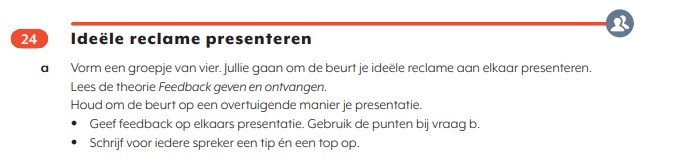
<assessment assessmentType="practice">
<title number="24">24 Ideële reclame presenteren </title>
<indicators><img alt="Samen" role="informative" src="/img/000000_samen.jpg" type="pictogram"/></indicators>
<p><em type="bold">a</em> Vorm een groepje van vier. Jullie gaan om de beurt je ideële reclame aan elkaar presenteren.</p>
<p>Lees de theorie <em type="italic">Feedback geven en ontvangen.</em></p>
<p>Houd om de beurt op een overtuigende manier je presentatie.</p>
<list listType="unordered" bulletType="circle">
<li>Geef feedback op elkaars presentatie. Gebruik de punten bij vraag b.</li>
<li>Schrijf voor iedere spreker een tip en een top op.</li>
</list>
</assessment>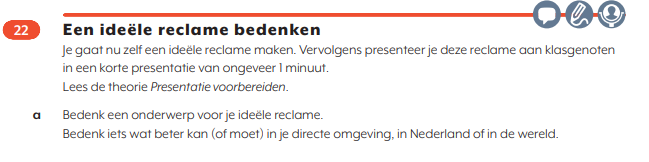
<assessment assessmentType="practice">
<title number="22" label="assessment">22 Een ideële reclame bedenken </title>
<indicators><img alt="Gesprekken" role="informative" src="/img/374325_gesprekken.jpg" type="pictogram"/> <img alt="Schrijven" role="informative" src="/img/374325_schrijven.jpg" type="pictogram"/> <img alt="Persoonlijke" role="informative" src="/img/374325_persoonlijke.jpg" type="pictogram"/></indicators>
<p>Je gaat nu zelf een ideële reclame maken. Vervolgens presenteer je deze reclame aan klasgenoten in een korte presentatie van ongeveer 1 minuut.</p>
<p>Lees de theorie <em type="italic">Presentatie voorbereiden</em>.</p>
<p><em type="bold">a</em> Bedenk een onderwerp voor je ideële reclame.</p>
<p>Bedenk iets wat beter kan (of moet) in je directe omgeving, in Nederland of in de wereld.</p>
</assessment>
Assessment with inline multiple choice
Process as regular text. Do not process as a table.

<assessment assessmentType="practice">
<title number="1" label="assessment">1</title>
<p><em type="bold">a</em> Welke stof zorgt voor de stevigheid van botten? <em type="italic">kalk / lijmstof</em></p>
<p><em type="bold">b</em> Welke stof zorgt voor de buigzaamheid van boten? <em type="italic">kalk / lijmstof</em></p>
</assessment>
Puzzles
Puzzles and accompanying instructions are processed as images.
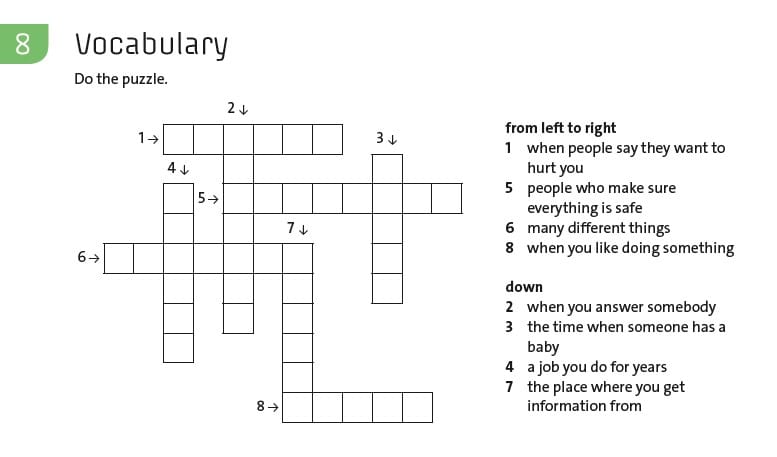
<assessment assessmentType="practice">
  <title number="8">8 Vocabulary</title>
  <p>Do the puzzle.</p>
  <figure>
    <img src="/img/000000-p000-1.jpg" role="informative" alt="" type="screenshot"/>
<altRepresentation></altRepresentation>
  </figure>
</assessment>