Documentation
Elements
- <a>
- <altRepresentation>
- <aside>
- <assessment>
- <author>
- <backcover>
- <blockquote>
- <body>
- <bodymatter>
- <caption>
- <code>
- <cover>
- <dd>
- <dl>
- <document>
- <dt>
- <em>
- <figure>
- <figureGroup>
- <frame>
- <frontcover>
- <frontmatter>
- <hd>
- <img>
- <indicators>
- <input>
- <jacketcopy>
- <legend>
- <li>
- <line>
- <linegroup>
- <list>
- <meta>
- <metadata>
- <note>
- <noteRef>
- <p>
- <pagebreak>
- <poem>
- <publication>
- <pullquote>
- <rearmatter>
- <section>
- <source>
- <span>
- <sub>
- <subtitle>
- <sup>
- <table>
- <tbody>
- <td>
- <tfoot>
- <th>
- <thead>
- <title>
- <tr>
<input>
The <input> element is used to define an input field in an assessment. It is a mostly visual cue to let readers know where in print input is requested, typically within exercises or quizzes.
Notes
- Use the
<input>element wherever the printed version shows an input field. - Ensure the
typeattribute is correctly set based on the expected user input. - The
<input>element should not enclose any child content.
Attributes
| Name | Explanation | Required |
|---|---|---|
type |
| |
id | Each input element should have a unique id. Always format the id as | |
prefilled | Contains the prefilled text as a string value. Fill the value with “X” when dealing with a checked checkbox. |
Examples
Input type “text”
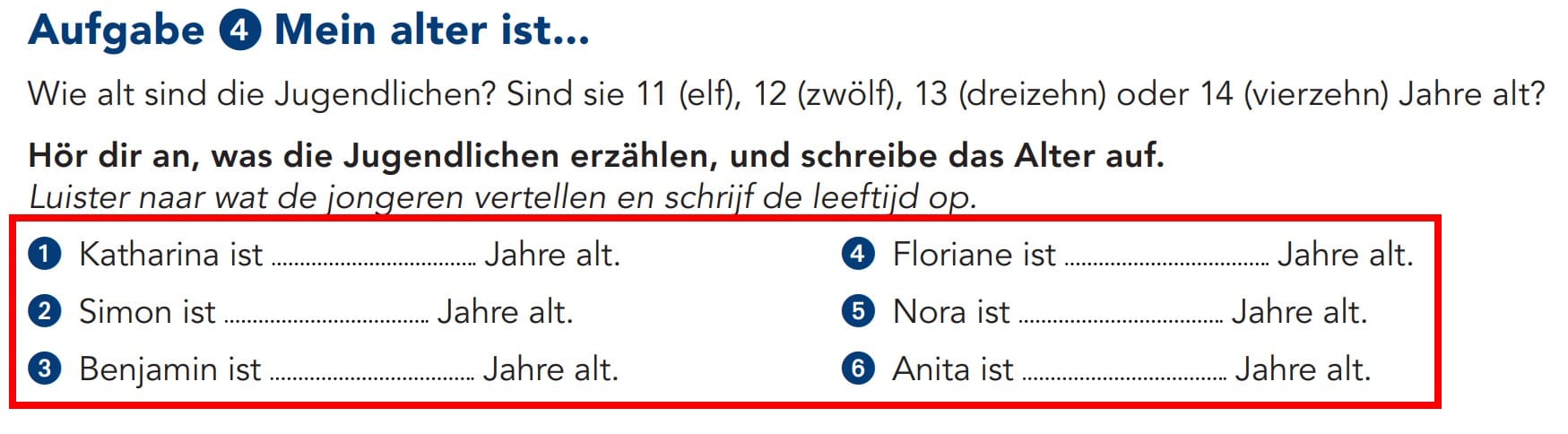
<assessment assessmentType="practice">
  <title number="4">Aufgabe 4 Mein alter ist...</title>
  <p>Wie alt sind die Jugendlichen? Sind sie 11 (elf), 12 (zwölf), 13 (dreizehn) oder 14 (vierzehn) Jahre alt?</p>
  <p fontStyles="bold">Hör dir an, was die Jugendlichen erzählen, und schreibe das Alter auf.</p>
  <p xml:lang="nl" fontStyles="italic">Luister naar wat de jongeren vertellen en schrijf de leeftijd op.</p>
  <list listType="ordered" numberType="numeric">
    <li>Katharina ist <input type="text" id="input-1"/> Jahre alt.</li>
    <li>Simon ist <input type="text" id="input-2"/> Jahre alt.</li>
    <li>Benjamin ist <input type="text" id="input-3"/> Jahre alt.</li>
    <li>Floriane ist <input type="text" id="input-4"/> Jahre alt.</li>
    <li>Nora ist <input type="text" id="input-5"/> Jahre alt.</li>
    <li>Anita ist <input type="text" id="input-6"/> Jahre alt.</li>
  </list>
</assessment>
Input type “checkbox”
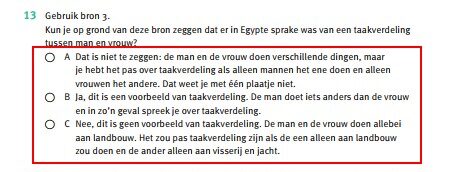
<assessment assessmentType="practice">
  <title number="13" label="assessment">13</title>
  <p>Gebruik bron 3.</p>
  <p>Kun je op grond van deze bron zeggen dat er in Egypte sprake was van een taakverdeling tussen man en vrouw?</p>
  <list numberType="upperCaseAlpha" listType="ordered">
    <li><input type="checkbox" id="input-1"/> Dat is niet te zeggen...één plaatje niet.</li>
    <li><input type="checkbox" id="input-2"/> Ja, dit is...over taakverdeling.</li>
    <li><input type="checkbox" id="input-3"/> Nee, dit is geen...en jacht.</li>
  </list>
</assessment>
Checked input type “checkbox”
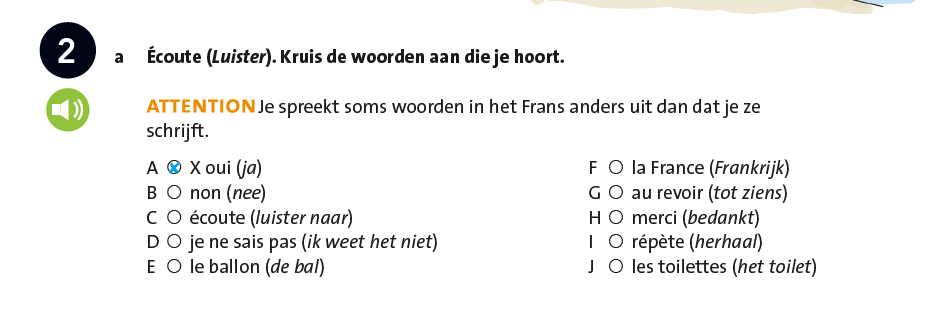
<assessment assessmentType="practice">
  <title number="2" label="assessment">2</title>
  <indicators>
    <img alt="Luisteren" role="informative" src="/img/000000_luisteren.jpg" type="pictogram"/>
  </indicators>
  <p>a Écoute (<em type="italic">Luister</em>). Kruis de woorden aan die je hoort.</p>
  <p><em foregroundColor="orange" fontStyles="bold">ATTENTION</em> Je spreekt soms woorden in het Frans anders uit dan dat je ze schrijft.</p>
  <list listType="ordered" numberType="upperCaseAlpha" role="options">
    <li><input id="input-1" type="checkbox" prefilled="X"/> oui (<em type="italic">ja</em>)</li>
    <li><input id="input-2" type="checkbox"/> non (<em type="italic">nee</em>)</li>
    <li><input id="input-3" type="checkbox"/> écoute (<em type="italic">luister naar</em>)</li>
    <li><input id="input-4" type="checkbox"/> je ne sais pas (<em type="italic">ik weet het niet</em>)</li>
    <li><input id="input-5" type="checkbox"/> le ballon (<em type="italic">de bal</em>)</li>
    <li><input id="input-6" type="checkbox"/> la France (<em type="italic">Frankrijk</em>)</li>
    <li><input id="input-7" type="checkbox"/> au revoir (<em type="italic">tot ziens</em>)</li>
    <li><input id="input-8" type="checkbox"/> merci (<em type="italic">bedankt</em>)</li>
    <li><input id="input-9" type="checkbox"/> répète (<em type="italic">herhaal</em>)</li>
    <li><input id="input-10" type="checkbox"/> les toilettes (<em type="italic">het toilet</em>)</li>
  </list>
</assessment>
Input type “textarea”
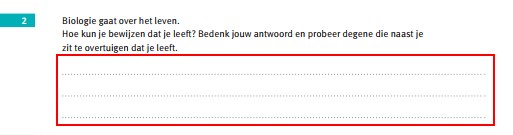
<assessment assessmentType="practice">
  <title number="2" label="assessment">2</title>
  <p>Biologie gaat over het leven.</p>
  <p>Hoe kun je bewijzen dat je leeft? Bedankt jouw antwoord en probeer degene die naast je zit te overtuigen dat je leeft.</p>
  <p><input type="textarea" id="input-1"/></p>
</assessment>
Prefilled input
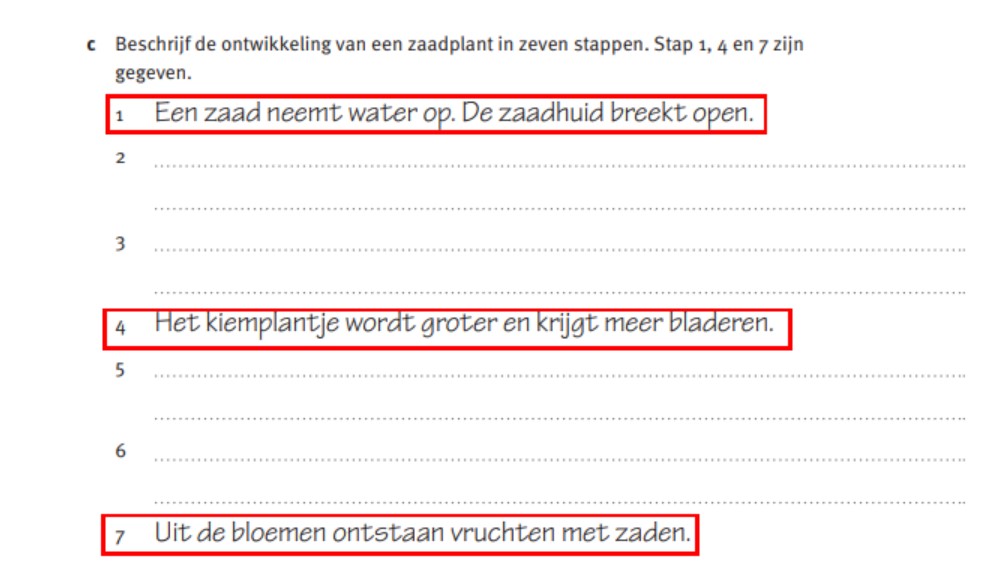
<p><em type="bold">c</em> Beschrijf de ontwikkeling van een zaadplant in zeven stappen. Stap 1, 4 en 7 zijn gegeven.</p>
<p>1 <input type="text" prefilled="Een zaad neemt water op. De zaadhuid breekt open." id="input-1"/></p>
<p>2 <input type="textarea" id="input-2"/></p>
<p>3 <input type="textarea" id="input-3"/></p>
<p>4 <input type="text" prefilled="Het kiemplantje wordt groter en krijgt meer bladeren" id="input-4"/></p>
<p>5 <input type="textarea" id="input-5"/></p>
<p>6 <input type="textarea" id="input-6"/></p>
<p>7 <input type="text" prefilled="Uit de bloemen ontstaan vruchten met zaden." id="input-7"/></p>