Documentation
Elements
- <a>
- <aside>
- <assessment>
- <author>
- <backcover>
- <blockquote>
- <body>
- <bodymatter>
- <caption>
- <code>
- <cover>
- <dd>
- <dl>
- <document>
- <dt>
- <em>
- <figure>
- <figureGroup>
- <frame>
- <frontcover>
- <frontmatter>
- <hd>
- <img>
- <input>
- <jacketcopy>
- <legend>
- <li>
- <line>
- <linegroup>
- <list>
- <meta>
- <metadata>
- <note>
- <noteRef>
- <number>
- <p>
- <page>
- <poem>
- <pullquote>
- <rearmatter>
- <section>
- <source>
- <span>
- <sub>
- <subtitle>
- <sup>
- <table>
- <tbody>
- <td>
- <tfoot>
- <th>
- <thead>
- <title>
- <tr>
Taal Actief Spelling
Basic structure
Use the table of contents to determine the basic structure. The table of contents should be marked up as a table.
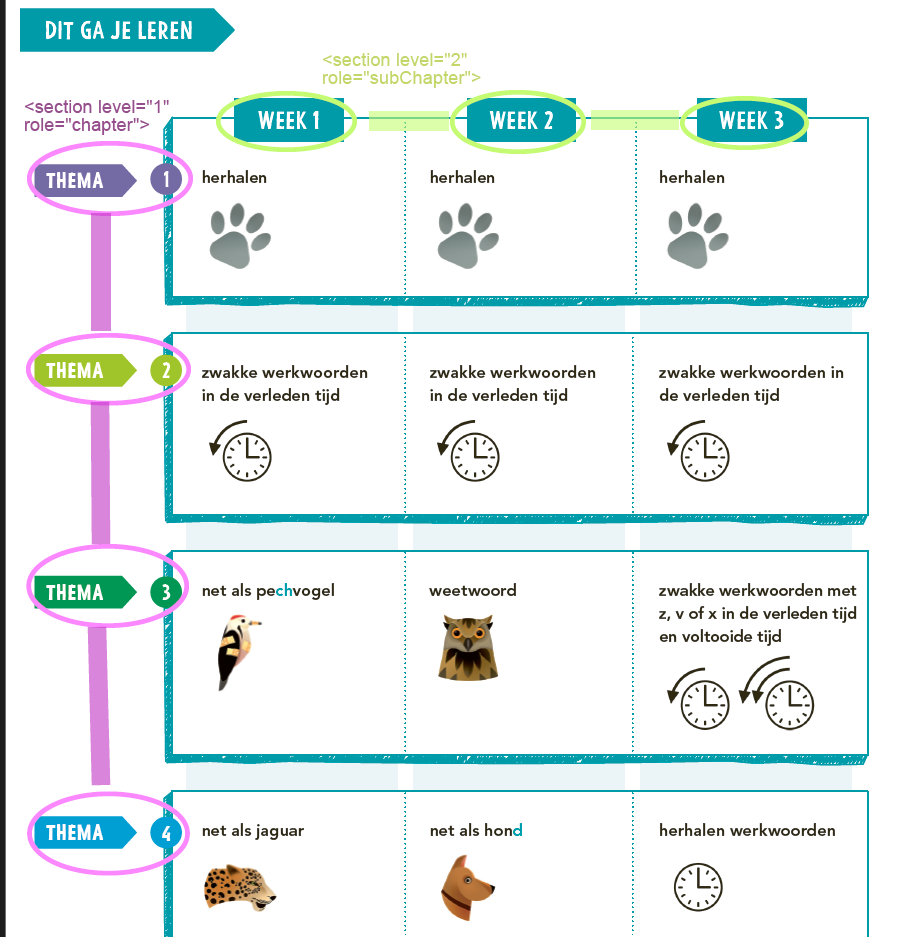
<table>
<thead>
<tr>
<th>Dit ga je leren</th>
<th>Week 1</th>
<th>Week 2</th>
<th>Week 3</th>
</tr>
</thead>
<tbody>
<tr>
<th>Thema 1</th>
<td>Herhalen <img role="informative" src=""></img></td>
<td>Herhalen <img role="informative" src=""></img></td>
<td>Herhalen <img role="informative" src=""></img></td>
</tr>
<tr>
<th>Thema 2</th>
<td>Zwakke werkwoorden in de verleden tijd <img role="informative" src=""></img></td>
<td>Zwakke werkwoorden in de verleden tijd <img role="informative" src=""></img></td>
<td>Zwakke werkwoorden in de verleden tijd <img role="informative" src=""></img></td>
</tr>
<tr>
<td>...</td>
</tr>
</table>- The headings show where you are in the book, see the example below:

<section level="1" role="chapter">
<hd level="1">Thema 1</hd>
<section level="2" role="subChapter">
<hd level="2">Week 3</hd>
<hd>Les 12</hd>
...
</section>- The second table of contents later in the book can be marked up as a list.

<p>spelling</p>
<list type="unordered">
<li><list type="unordered"><li>Thema 1 <a href="#page-52" type="pageRef">52</a>
<li>Vasthouden vorig thema</li>
<li>herhalen</li>
</list>
<li><list type="unordered"><li>Thema 2 <a href="#page-59" type="pageRef">59</a>
<li>Vasthouden vorig thema</li>
<li>doelen thema 1 en: <img role="informative" src=""></img>/li>
</list>
<li><list type="unordered"><li>Thema 3 <a href="#page-66" type="pageRef">66</a>
<li>Vasthouden vorig thema</li>
<li>doelen thema 2 en: <img role="informative" src=""></img><img role="informative" src=""></img></li>
</list>
...
</list>
List
- Process assessment below and similar as a
<list>with a colon after the first word, as follows:
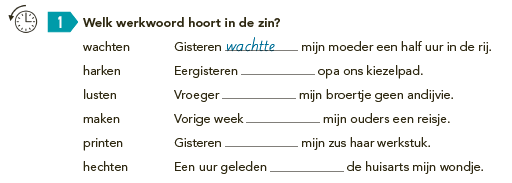
<assessment><img alt="" role="informative" src="/...jpg"/><p fontStyles="bold"><number>1</number> Welk werkwoord hoort in de zin?</p><list type="unordered" bullet="none">
<li>wachten: Gisteren <input type="text" prefilled="wachtte"/> mijn moeder een half uur in de rij.</li>
<li>harken: Eergisteren <input type="text"/> opa ons kiezelpad</li>
...
</list>
</assessment>- The words in the boxes below should be processed in a list.
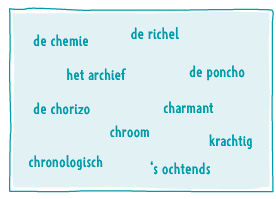
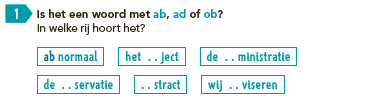
- In the example below the words should be marked up as regular text with a | inbetween:

Table
Process example below and similar with <table>:
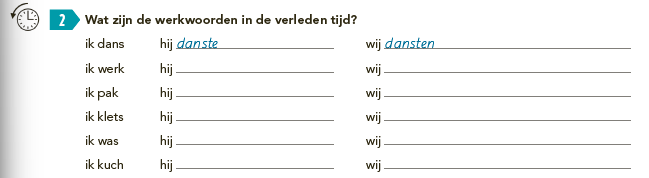
Frames
Input
Process both lines in this assessment and similair as input type=text.
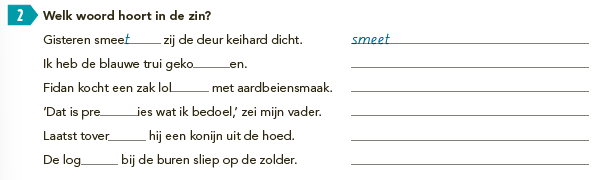
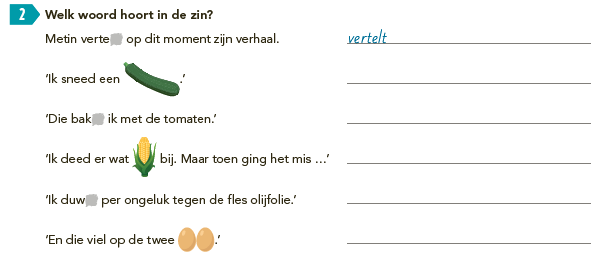
The grey areas should be processed as input type=text.
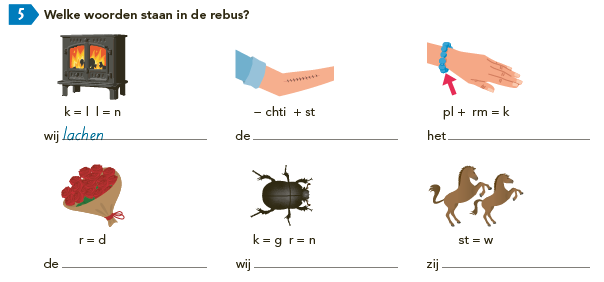
Below is an example of a <figureGroup> with input in the captions.
Icons
Pay attention to Icons. A few examples:


