Documentation
Elements
- <a>
- <aside>
- <assessment>
- <author>
- <backcover>
- <blockquote>
- <body>
- <bodymatter>
- <caption>
- <code>
- <cover>
- <dd>
- <dl>
- <document>
- <dt>
- <em>
- <figure>
- <figureGroup>
- <frame>
- <frontcover>
- <frontmatter>
- <hd>
- <img>
- <input>
- <jacketcopy>
- <legend>
- <li>
- <line>
- <linegroup>
- <list>
- <meta>
- <metadata>
- <note>
- <noteRef>
- <number>
- <p>
- <page>
- <poem>
- <pullquote>
- <rearmatter>
- <section>
- <source>
- <span>
- <sub>
- <subtitle>
- <sup>
- <table>
- <tbody>
- <td>
- <tfoot>
- <th>
- <thead>
- <title>
- <tr>
Assessments
General notes
The <assessment> element serves as a container for assessment content in a textbook. It typically encloses a set of questions, exercises, or tasks that test the reader’s understanding of the material. In a schoolbook, assessments might appear at the end of a chapter, after a lesson, or in dedicated review sections. Using the <assessment> element helps distinguish this evaluative content from the main text.
<assessment> is a block-level element used to structure quiz or exercise content in an educational text. Whenever you encounter an exercise section in a book (for example, a list of review questions), that section should be enclosed in <assessment> tags in the XML.
In general, the <assessment> element can contain any structuring elements that you would use in normal content (paragraphs, lists, etc.), but organized in a way that clearly delineates the assessment items. Always refer to the XSD to see the exact allowed children of <assessment>.
Usage of <number> and <title>
Examples
Simple assessment with <number> and <title>
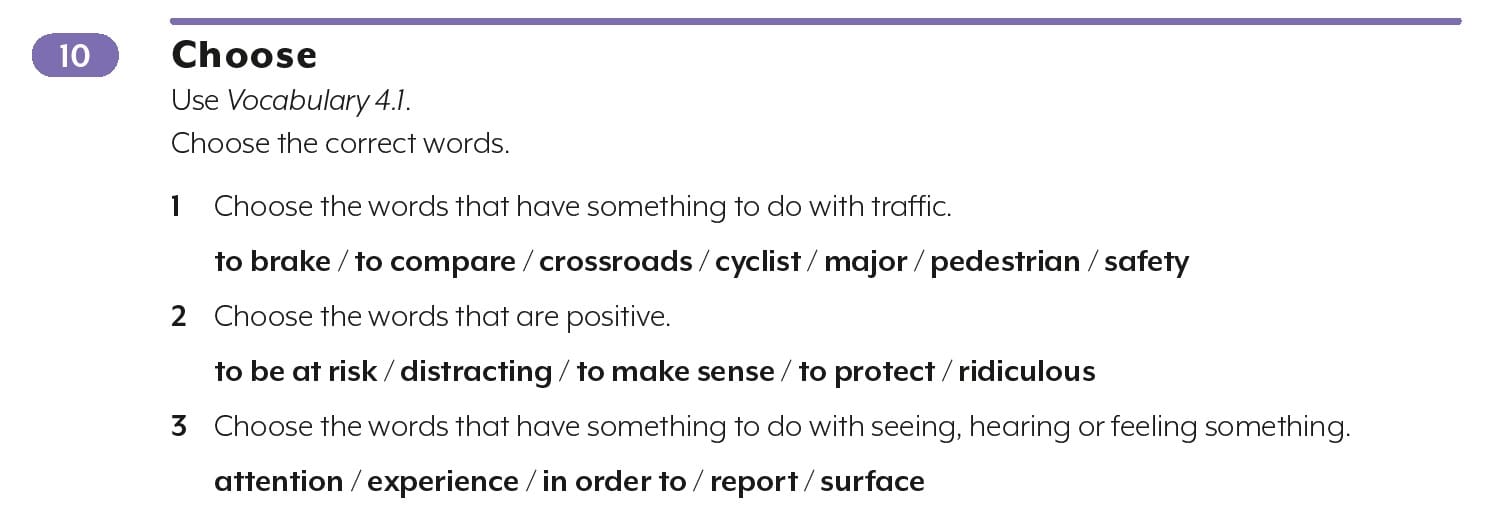
<assessment>
  <title><number>10</number> Choose</title>
  <p>Use <em fontStyles="italic">Vocabulary 4.1.</em></p>
  <p>Choose the correct words.</p>
  <p><number>1</number> Choose the words that have something to do with traffic.</p>
  <p fontStyles="bold">to brake / to compare / crossroads / cyclist / major / pedestrian / safety</p>
  <p><number>2</number> Choose the words that are positive.</p>
  <p fontStyles="bold">to be at risk / distracting / to make sense / to protect / ridiculous</p>
  <p><number>3</number> Choose the words that have something to do with seeing, hearing or feeling something.</p>
  <p fontStyles="bold">attention / experience / in order to / report / surface</p>
</assessment>
Simple assessment with <number>, but without <title>
When there is no obvious title, don’t use <title> in the <assessment>.
Process the <number> and instruction of the assessment within <p>.
Examples:

<assessment>
<p><number>1a</number> Welke verschillende talen hoor of zie jij op deze plaatsen? Schrijf op.</p>
..
</assessment>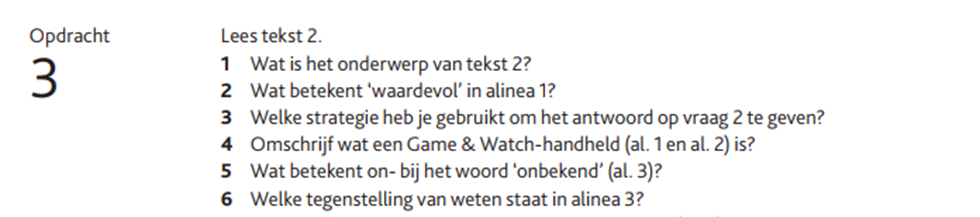
<assessment>
<p>Opdracht <number>3</number></p>
<p>Lees tekst 2.</p>
...
</assessment>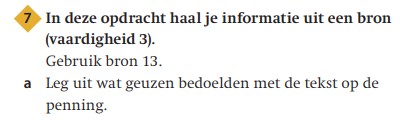
<assessment>
<p fontStyles="bold"><number>7</number> In deze opdracht haal je informatie uit een bron (vaardigheid 3).</p>
<p>Gebruik bron 13.</p>
<p><number>a</number> Leg uit wat geuzen bedoelen met de tekst op de penning.</p>
</assessment>
General rule for <title> in assessments
- Use <title> only when there is a short title, which may be in bold. Titles are often recognizable because they’re repeated across similar types of assessments (e.g., “match,” “choose,” etc.).
- Do not use <title> when a full sentence or a longer piece of text follows. This text may or may not be in bold. In that case, use <p>, optionally with fontstyles bold, if that matches the formatting in the book.
Example assessment with multiple images and input fields
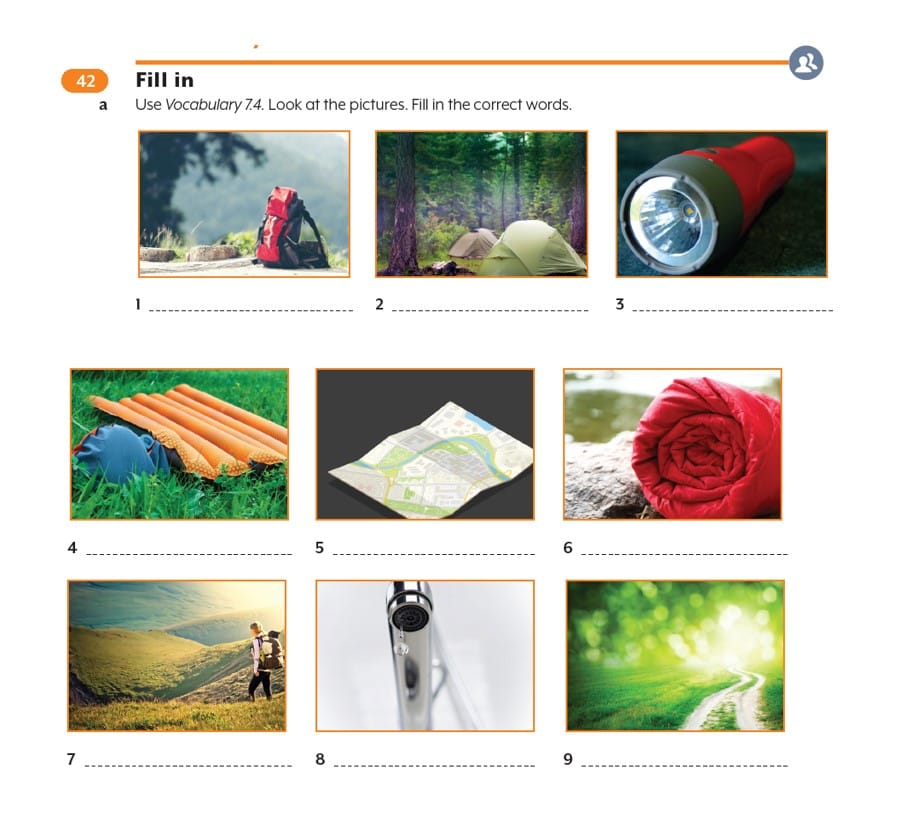
<assesment>
   <title><number>42</number> Fill in</title>
   <p><number>a</number> Use <em fontStyles="italic">Vocabulary 7.4</em>. Look at    the pictures. Fill in the correct words.</p>
   <figureGroup>
       <figure>
          <img src="/img/000000_p000-1.jpg" role="informative" alt="afbeelding"/>
          <caption>1 <input type="text" /></caption>
       </figure>
       <figure>
           <img src="/img/000000_p000-2.jpg" role="informative" alt="afbeelding"/>
           <caption>2 <input type="text" /></caption>
       </figure>
       <figure>
           <img src="/img/000000_p000-3.jpg" role="informative" alt="afbeelding"/>
           <caption>3 <input type="text" /></caption>
       </figure>
       ...
    </figureGroup>
</assessment>
Assessment with matching question
Process match questions as an image.
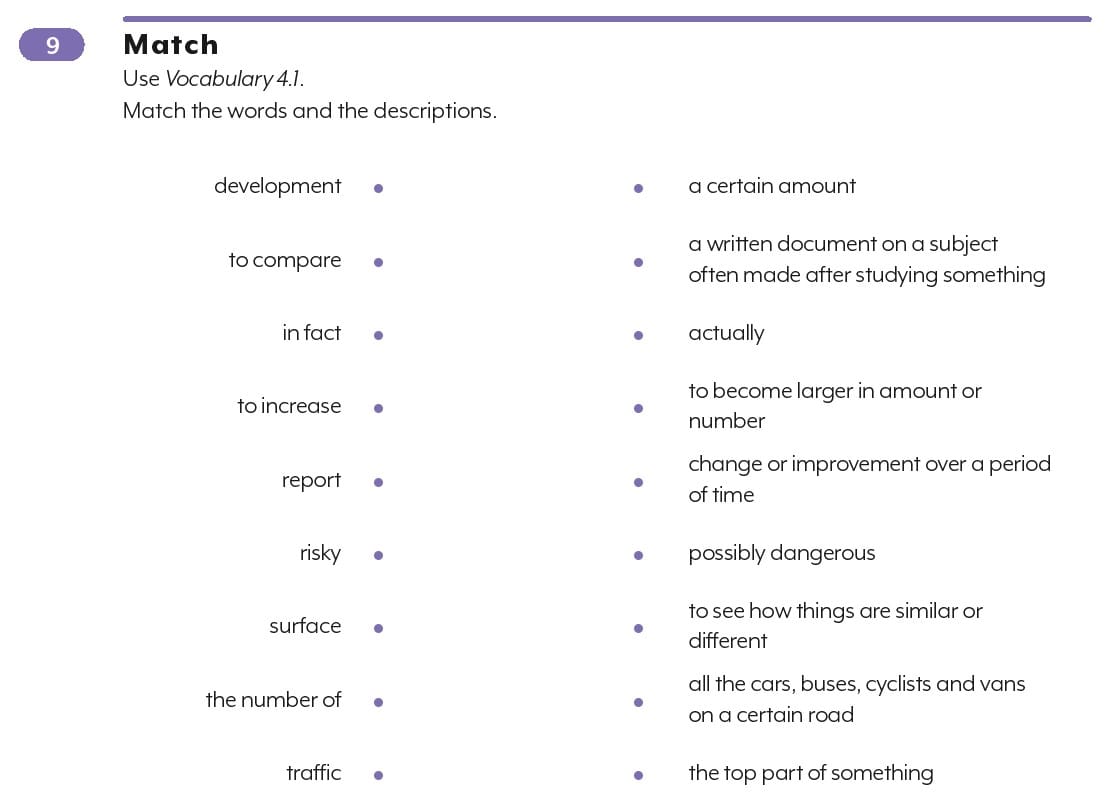
<assessment>
  <title><number>9</number> Match</title>
  <p>Use <em fontStyles="italic">Vocabulary 4.1.</em></p>
  <p>Match the words and the descriptions.</p>
  <img src="/img/000000-p000-1.jpg" role="informative" alt="afbeelding"/>
</assessment>
Puzzles
Puzzles and accompanying instructions are processed as images.
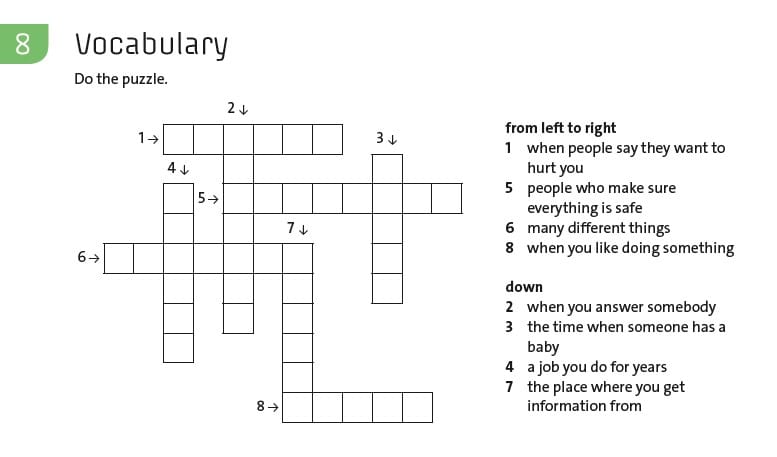
<assessment>
  <title><number>8</number> Vocabulary</title>
  <p>Do the puzzle.</p>
  <figure>
    <img src="/img/000000-p000-1.jpg" role="informative" alt="afbeelding"/>
  </figure>
</assessment>