Documentation
Elements
- <a>
- <altRepresentation>
- <aside>
- <assessment>
- <author>
- <backcover>
- <blockquote>
- <body>
- <bodymatter>
- <caption>
- <code>
- <cover>
- <dd>
- <dl>
- <document>
- <dt>
- <em>
- <figure>
- <figureGroup>
- <frame>
- <frontcover>
- <frontmatter>
- <hd>
- <img>
- <indicators>
- <input>
- <jacketcopy>
- <legend>
- <li>
- <line>
- <linegroup>
- <list>
- <meta>
- <metadata>
- <note>
- <noteRef>
- <p>
- <pagebreak>
- <poem>
- <publication>
- <pullquote>
- <rearmatter>
- <section>
- <source>
- <span>
- <sub>
- <subtitle>
- <sup>
- <table>
- <tbody>
- <td>
- <tfoot>
- <th>
- <thead>
- <title>
- <tr>
Global attributes
The MONET-XML framework includes a set of standardized style attributes that can be applied across elements to maintain consistency and flexibility in document formatting. This guide explains the available attributes, their possible values, and where they can be used.
Two attribute groups
MONET defines two style attribute groups. Which one an element uses determines which attributes are valid on it.
monetInlineStyleAttributes— applies to inline-level elements (<span>,<em>,<q>,<abbr>,<sub>,<sup>,<pullquote>,<a>,<option>,<value>,<annotation>). Contains:textDir,fontStyles,fontTypes,foregroundColor,backgroundColor,xml:lang.monetBlockStyleAttributes— applies to block-level elements (<p>,<section>,<hd>,<title>,<subtitle>,<list>,<li>,<dl>,<dt>,<dd>,<blockquote>,<frame>,<aside>,<source>,<author>,<publisher>,<creator>,<note>,<line>,<linegroup>,<poem>,<table>,<th>,<td>,<figure>,<figureGroup>,<legend>,<altRepresentation>,<code>,<pre>,<prompt>,<explanation>). Contains everything inmonetInlineStyleAttributes, plustextAlign.
The practical consequence: textAlign only works on block-level elements. All other style attributes work on both inline and block elements.
A third group, monetDefaultAttributes, exists in the schema only as a deprecated backward-compatibility alias for monetBlockStyleAttributes. Do not rely on it in new content; use the inline or block group as appropriate.
Style attributes
textAlign (block-level only)
- Type:
textAlign - Default value:
left - Possible values:
left,right,center,justify - Usage: Controls the horizontal alignment of text within a block element. Not valid on inline elements.
<p textAlign="center">Centered text.</p>textDir
- Type:
textDir - Default value:
ltr - Possible values:
ltr(left-to-right),rtl(right-to-left) - Usage: Specifies text direction, useful for multilingual content.
<p textDir="rtl" xml:lang="ar-EG">مرحبا بكم</p>fontStyles
- Type:
fontStyles(a space-separated list) - Possible values:
bold,underline,italic,strikeThrough - Usage: Apply one or more font styles by giving a space-separated list.
- Important:
fontStylesis not allowed onem. Instead, use thetypeattribute onemelements to define the font style. See em.
<p fontStyles="bold italic">Bold and italic text</p>Note the capitalisation:
strikeThrough, notstrikethrough.
fontTypes
- Type:
fontTypes(a space-separated list) - Possible values:
serif,sansSerif,handWriting,monoSpace,display - Usage: Specifies the font category for text rendering. Only use when instructed.
<p fontTypes="monoSpace">git commit -m "test"</p>foregroundColor
- Type:
colorPalette - Possible values:
white,gray,lightGray,black,red,lightRed,orange,lightOrange,yellow,lightYellow,green,lightGreen,blue,lightBlue,purple,lightPurple,pink,lightPink,brown,lightBrown,teal,lightTeal,olive,lightOlive,cyan,magenta - Usage: Sets the text (foreground) color. Use only a value from the MONET color palette above; arbitrary hex codes are not allowed.
<p>Lees op de verpakking of er
   <em foregroundColor="red" fontStyles="bold">GEVAAR</em> staat.</p>
backgroundColor
- Type:
colorPalette - Possible values: identical to
foregroundColor(see the palette above) - Usage: Sets the background (highlight) color behind the text.
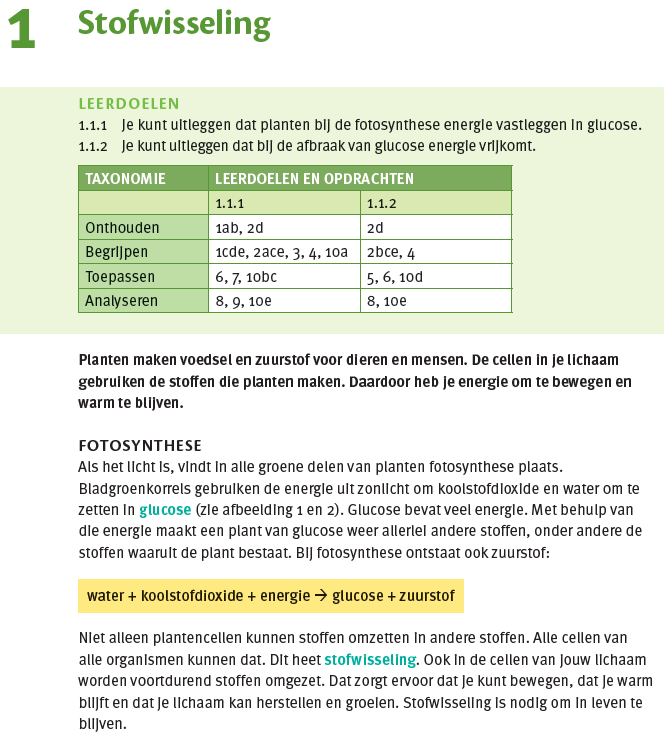
<p><em backgroundColor="lightYellow" type="bold">water + koolstofdioxide + energie → glucose + zuurstof</em></p>When to use foregroundColor and backgroundColor
Only apply foregroundColor and backgroundColor when the color carries meaning, when it adds emphasis or when it functions to label or categorise information. Color should never be added for purely decorative reasons.
Use color when:
- it emphasises a term, warning, or key result that the source also sets apart by color (e.g. a highlighted formula box, a “DANGER” label in red);
- it labels or distinguishes categories of information that the reader is expected to tell apart by color (e.g. color-coded answer types, difficulty levels, or legend entries).
Do not use color when:
- it is merely part of the page’s visual design and carries no information;
- the same distinction is already conveyed by the structure or wording, in which case the color adds nothing for the reader.
xml:lang
- Type:
xml:lang - Usage: Required on
<publication>. Optional on any element that carries the inline or block style attributes. Set the main publication language on<publication>; usexml:langon individual elements only when the language differs from the surrounding context. - Description: Specifies the language of the content within an element using an IETF language tag in the format
ll-CC, where:llis the two-letter language code in lowercase (e.g.fr,en,nl), andCCis the two-letter country/region code in uppercase (e.g.FR,US,NL).
✅ Valid values:
<p xml:lang="fr-FR">Ceci est un texte en français.</p>
<p xml:lang="en-US">Bring me the soup.</p>
<publication type="textBook" xml:lang="nl-NL">
❌ Invalid values:
<p xml:lang="fr">Ceci est un texte en français.</p>
<p xml:lang="french">Ceci est un texte en français.</p>
The id attribute (not a global attribute)
Unlike the style attributes above, id is not a global attribute and cannot be applied to any element. It is declared individually on the elements that need to be referenced:
| Element | id required? | Referenced by |
|---|---|---|
<pagebreak> | Yes | <a type="pageRef" href="#..."> |
<note> | Yes | <noteRef idRef="..."> |
<annotation> | Yes | <annoRef idRef="..."> |
<option> | Yes | <choiceRef idRef="..."> |
<input> | Yes | (used by renderers) |
- Type:
xs:ID— must be a valid NCName: no spaces,#,[,],/; must not start with a digit. - Uniqueness: every
idmust be unique within a<publication>.
<pagebreak id="page-8">8</pagebreak>
...
<a type="pageRef" href="#page-8">8</a>
For the full ID and reference conventions, see [IDs and references].
Best practices
- Use the inline style group attributes on inline elements and the block style group on block elements; remember that
textAlignis block-only. - Specify
fontTypesonly when a specific font appearance is required and you have been instructed to do so. - Use only palette values for
foregroundColorandbackgroundColor; do not use hex or RGB values. - Set the publication language on
<publication>(required) and usexml:langon individual elements only for language switches. - Assign an
idonly on elements that are actually referenced elsewhere, and keep ids unique within the publication.