Documentation
Elements
- <a>
- <altRepresentation>
- <aside>
- <assessment>
- <author>
- <backcover>
- <blockquote>
- <body>
- <bodymatter>
- <caption>
- <code>
- <cover>
- <dd>
- <dl>
- <document>
- <dt>
- <em>
- <figure>
- <figureGroup>
- <frame>
- <frontcover>
- <frontmatter>
- <hd>
- <img>
- <indicators>
- <input>
- <jacketcopy>
- <legend>
- <li>
- <line>
- <linegroup>
- <list>
- <meta>
- <metadata>
- <note>
- <noteRef>
- <p>
- <pagebreak>
- <poem>
- <publication>
- <pullquote>
- <rearmatter>
- <section>
- <source>
- <span>
- <sub>
- <subtitle>
- <sup>
- <table>
- <tbody>
- <td>
- <tfoot>
- <th>
- <thead>
- <title>
- <tr>
<img>
The <img> element embeds an image into a page. The element contains a reference to an image file.
- See figure and figureGroup for examples.
- See Pictograms for more information about how to process images that are pictograms.
- See Images for information about the image file.
Notes
Use <figure> as a container for an image if there is information present that is linked to the image (like caption, title, description). If the image needs to span the entire width of it’s parent container, use <figure> as well.
Children elements
| Element | Explanation | Required |
|---|---|---|
<altRepresentation> | See altRepresentation. The altRepresentation contains the text in image. |
Attributes
| Name | Explanation | Required |
|---|---|---|
alt | The | |
role | Defines the purpose of the image. Use value | |
src | Refers to the location of the image file. For example: | |
type | Choose the value that best describes the main purpose of the image.
|
Examples
QR code
<assessment>
  <title number="16">16 Kijken en luisteren naar een reclame</title>
  <indicators><img alt="kijken" role="informative" src="/img/374325_kijken.jpg" type="pictogram"/><img alt="luisteren" role="informative" src="/img/374325_luisteren.jpg" type="pictogram"/></indicators>
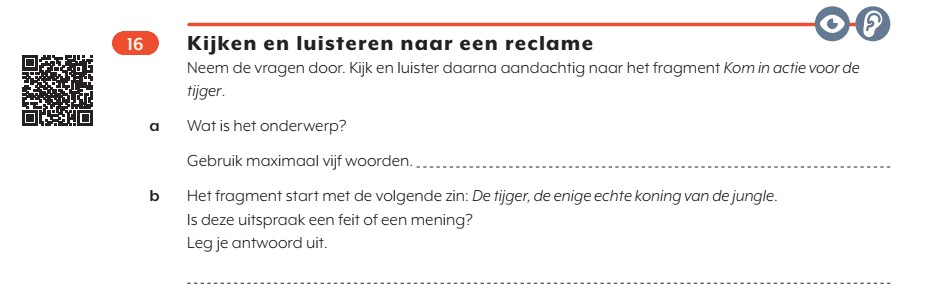
  <p>Neem de vragen door. Kijk en luister daarna aandachtig naar het fragment <em type="italic">Kom in actie voor de tijger</em>.</p>
  <figure>
    <img alt="[insertURLfromQRcode]" role="informative" src="/img/374325_p048-1.jpg" type="qrcode"/>
  </figure>
  <p><em type="bold">a</em> Wat is het onderwerp?</p>
  <p>Gebruik maximaal vijf woorden. <input id="123123" type="text"/></p>
  <p><em type="bold">b</em> Het fragment start met de volgende zin: <em type="italic">De tijger, de enige echte koning van de jungle</em>.</p>
  <p>Is deze uitspraak een feit of een mening?</p>
  <p>Leg je antwoord uit.</p>
  <p><input type="text"/></p>
</assessment>